
Download Ots CD Scratch 1200 – Free DJ Mixing Software for Windows & Mac
Overview
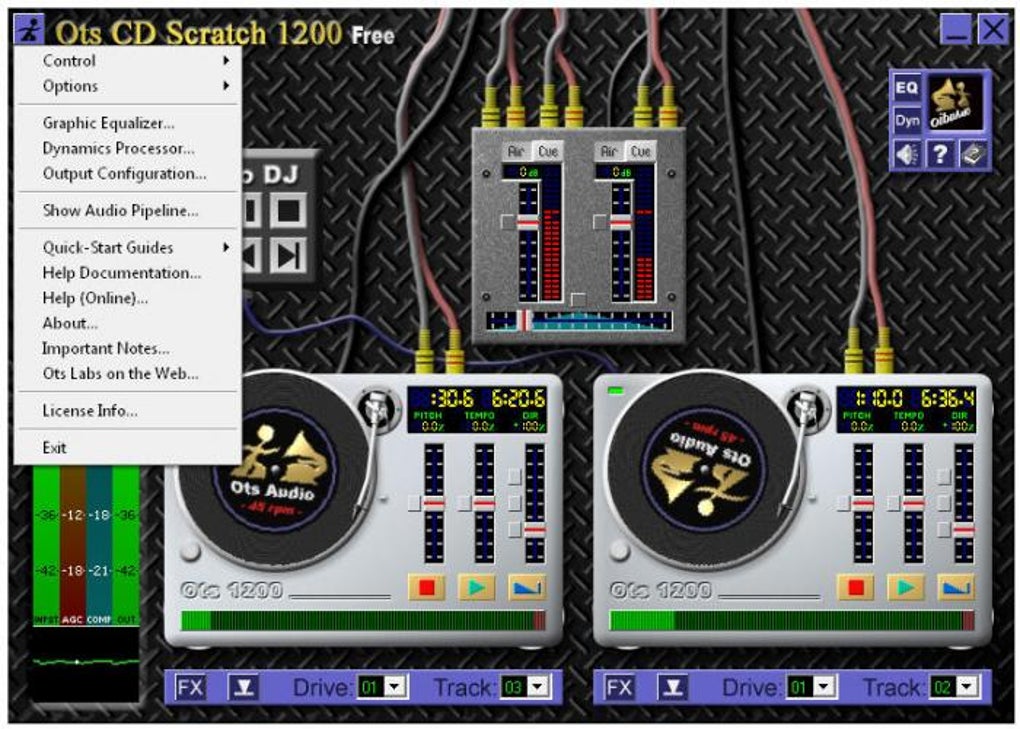
Ots CD Scratch 1200 is a virtual CD mixing table designed especially for aspiring DJs who want to practice the art of scratching and beat‑matching without stepping onto a club stage. The software mimics the look and feel of a real‑world DJ deck, complete with two rotating “record” wheels that you can manipulate using your mouse. While the program is limited to physical CD sources – it does not import MP3 or other digital audio files – it compensates with an impressively realistic scratching engine that lets you simulate vinyl‑style performance on any CD track you insert into your computer’s drive. The interface is intentionally straightforward: two decks sit side‑by‑side, each with its own volume fader, cross‑fader, and a small set of effect buttons. You can load a CD into each deck, cue the track you want, and start mixing. The most compelling feature is the “scratch” tool, which lets you grab the virtual record image and drag it forward or backward, producing the characteristic jitter and wobble of a turntable. Because the effect is generated in software, you can achieve tight, repeatable scratches even if you have never touched a real vinyl platter. For beginners, Ots CD Scratch 1200 offers a low‑risk environment to learn timing, beat‑matching, and basic signal routing. It’s also a handy rehearsal tool for seasoned DJs who want to experiment with new transitions before they bring them to a live set. The application is completely free, runs on both Windows and macOS, and requires only a standard CD‑ROM drive. While it lacks the deep library of effects found in professional DJ suites, its core focus on CD‑based scratching makes it a unique niche product that still feels fresh in 2025.
Key Features & How It Works
- Dual‑deck virtual CD player – mix two CD tracks simultaneously.
- Real‑time scratching simulation using mouse‑dragged record graphics.
- Basic EQ and filter knobs for each deck (high, mid, low).
- Cross‑fader for smooth transitions between decks.
- Simple cue, play, pause, and stop controls that mirror hardware decks.
- Free download with no hidden fees or subscription model.
- Lightweight installation (< 30 MB) – runs on modest hardware.
- Supports Windows 7/8/10/11 and macOS 10.13 and later.
The heart of Ots CD Scratch 1200 is its scratching algorithm. When you click on the rotating record graphic, the software captures the exact mouse trajectory and translates it into audio playback speed changes. This means you can produce rapid forward scratches, slow back‑spins, or even rhythmic stutter effects by simply moving the cursor. The sound is processed in real time, so there is virtually no latency between your gesture and the audible result, an essential factor for building confidence as a DJ. In addition to scratching, each deck offers a three‑band equalizer that lets you boost or cut bass, mids, and treble. Though the range of built‑in effects is modest compared with industry‑standard tools like Serato or Traktor, the simplicity keeps the learning curve shallow. You can experiment with low‑pass or high‑pass filters to thin out a track before a transition, or use the EQ to emphasize the kick drum when you’re cue‑mixing. The cross‑fader sits centrally between the decks, enabling you to blend the output of Deck A into Deck B gradually. This is the classic DJ technique for beat‑matching, and Ots CD Scratch 1200 provides visual tempo markers to help you align beats before you hit the cross‑fader. While the software does not automatically sync tempos, the visual cues and responsive controls make manual beat‑matching a rewarding skill‑building exercise.
Installation, Setup & Compatibility
Step‑by‑Step Installation
1. Download the installer. Visit the official Ots website and click the “Download for Windows” or “Download for macOS” button. The file is a small executable (Windows) or DMG (macOS).
2. Run the installer. On Windows, double‑click the .exe file and follow the on‑screen prompts. On macOS, drag the Ots CD Scratch 1200 icon into your Applications folder.
3. Accept the license agreement. The software is free for personal use; you’ll need to tick the “I agree” box.
4. Choose installation location. The default folder works for most users, but you can change it if you prefer a custom directory.
5. Complete the setup. Click “Finish” and the program will launch automatically.
First‑Time Configuration
Upon first launch, Ots CD Scratch 1200 will ask you to select your CD‑ROM drive. If you have multiple optical drives, choose the one you intend to use for DJ practice. The software then performs a quick hardware check to ensure the drive can read audio CDs in real time. Once verified, the main interface appears, showing two empty decks. Insert a CD into the drive, and the program will automatically load the first track onto Deck A. To load a second CD, simply click the “Load Deck B” button and insert the second disc. The settings menu (gear icon) lets you adjust audio buffer size, which can affect latency. For most modern computers, the default setting (256 ms) offers a good balance between stability and responsiveness. Advanced users can lower the buffer to 128 ms for tighter scratch feel, but may need a more powerful CPU to avoid audio glitches.
Supported operating systems: Windows 7, 8, 10, 11 (64‑bit) and macOS 10.13 High Sierra through macOS 14 Sonoma. The application is not available for Linux, Android, or iOS, as it relies on native CD‑ROM APIs that are not present on those platforms.
Pros & Cons, Frequently Asked Questions
Pros
- Completely free – no subscription or hidden fees.
- Intuitive, hardware‑like interface that feels familiar to DJs.
- High‑quality scratching simulation using only a mouse.
- Low system requirements – runs on older laptops.
- Dual‑deck mixing encourages practice of beat‑matching.
Cons
- Works exclusively with physical CDs – no MP3 or digital library support.
- Limited built‑in effects compared with professional DJ software.
- No automatic beat‑sync or key detection.
- Interface looks dated on high‑resolution 4K monitors.
- No built‑in recording or export function for mixes.
FAQ – Your Questions Answered
Can I use Ots CD Scratch 1200 with a USB CD‑ROM drive?
Yes. The software detects any external CD‑ROM that the operating system recognizes, so a USB‑connected drive works just as well as an internal one.
Is there a way to save my mixes for later playback?
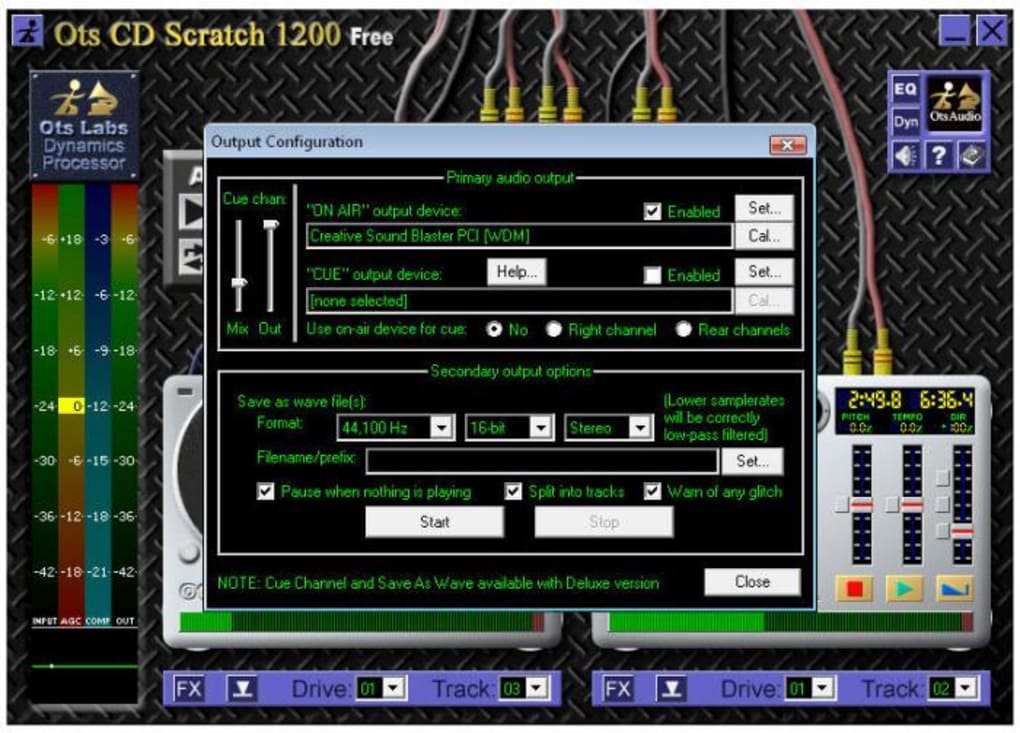
The free version does not include a recording feature. However, you can use a separate audio capture tool (e.g., Audacity) to record the output from your sound card while you mix.
Will the software run on a Windows 10 laptop without a CD drive?
A physical CD drive is required because Ots CD Scratch 1200 reads audio data directly from the disc. Without a drive, the program cannot load tracks.
How does the scratching performance compare to real vinyl?
While it cannot fully replicate the tactile feedback of a turntable, the algorithm offers very low latency and accurate pitch changes, making it feel surprisingly close for practice purposes.
Is there any plan to add MP3 support in future updates?
The developer has indicated that the focus will remain on CD‑based scratching, but a future “Pro” version may include digital file support. Keep an eye on the official roadmap for announcements.
Reviewer’s Summary: Ots CD Scratch 1200 is a solid, free entry‑point for anyone wanting to practice CD‑based DJ techniques. Its scratching engine shines, though the lack of digital file support limits its utility for modern libraries.
Conclusion – Should You Download Ots CD Scratch 1200?
If you are a DJ beginner eager to hone your scratching skills without spending money on expensive hardware, Ots CD Scratch 1200 delivers exactly what you need. The software’s realistic turntable simulation, dual‑deck mixing, and straightforward controls make it an excellent rehearsal tool for aspiring performers. While the exclusive reliance on physical CDs may feel restrictive in an era dominated by streaming and digital libraries, the program’s free price tag and low system demands balance that drawback nicely. The lack of advanced effects and the dated visual design mean it isn’t a replacement for professional DJ suites like Rekordbox, Serato, or Virtual DJ. However, for a hobbyist who owns a CD collection and wants to experience the tactile excitement of scratching, this app offers a safe, low‑risk environment to experiment. Pair it with a basic audio recorder if you need to capture your mixes, and you have a complete practice workflow without any subscription fees. In short, download Ots CD Scratch 1200 today, load your favorite CDs, and start scratching your way toward the club gig you’ve always wanted. The software is secure, regularly updated, and ready for immediate use on both Windows and macOS. Give it a spin – you might discover a new level of confidence behind the decks that propels your DJ career forward.







